TL;DR: Finding creative website designs doesn't mean browsing aimlessly for hours. We've curated 7 essential platforms—from ThemeForest's vast marketplace to Awwwards' award-winning gallery—and broken down exactly how to use each one strategically. Whether you need a quick-launch template or cutting-edge inspiration for your next big project, this guide shows you where to look, what to prioritise, and how to avoid wasting time on generic designs. Plus, we'll share how our clients have leveraged these resources to create standout digital experiences.
In a crowded online space, a generic website is the digital equivalent of showing up to a pitch meeting in your pyjamas. Your website is often the first interaction a potential customer has with your brand, and let's be honest—first impressions are stubborn little things.
The challenge for most businesses, from scrappy startups to established enterprises, isn't just finding a design that looks good. It's finding one that's both aesthetically impressive and functionally effective without draining your budget or taking six months to build. We've seen it countless times: brilliant businesses with websites that look like they were built in 2008, or worse, shiny new sites that look gorgeous but convert about as well as a chocolate teapot.
This guide isn't just another "look at these pretty websites" article. We're going beyond the surface to show you exactly where to find creative website designs, how to evaluate them strategically, and most importantly, how to implement them without losing your mind (or your budget). We'll explore platforms like Awwwards for cutting-edge inspiration and marketplaces such as ThemeForest and Webflow for customisable, ready-to-deploy solutions.
As one of our clients, Duncan Hepburn from Innofi, put it after we helped brand an entire floor of their campus: "Super quick work as usual and delivered in 1 go. This was a large project... but the team pulled it off seamlessly." That's the energy we're bringing to this guide—practical, proven strategies that actually work.
1. ThemeForest (Envato Market)
When you need to launch yesterday and "we'll build something custom" sounds like a recipe for missing your deadline, ThemeForest is your secret weapon. As part of the Envato Market ecosystem, it's one of the largest global marketplaces for website themes and templates, offering a staggering catalogue that caters to nearly every conceivable niche, industry, and content management system.
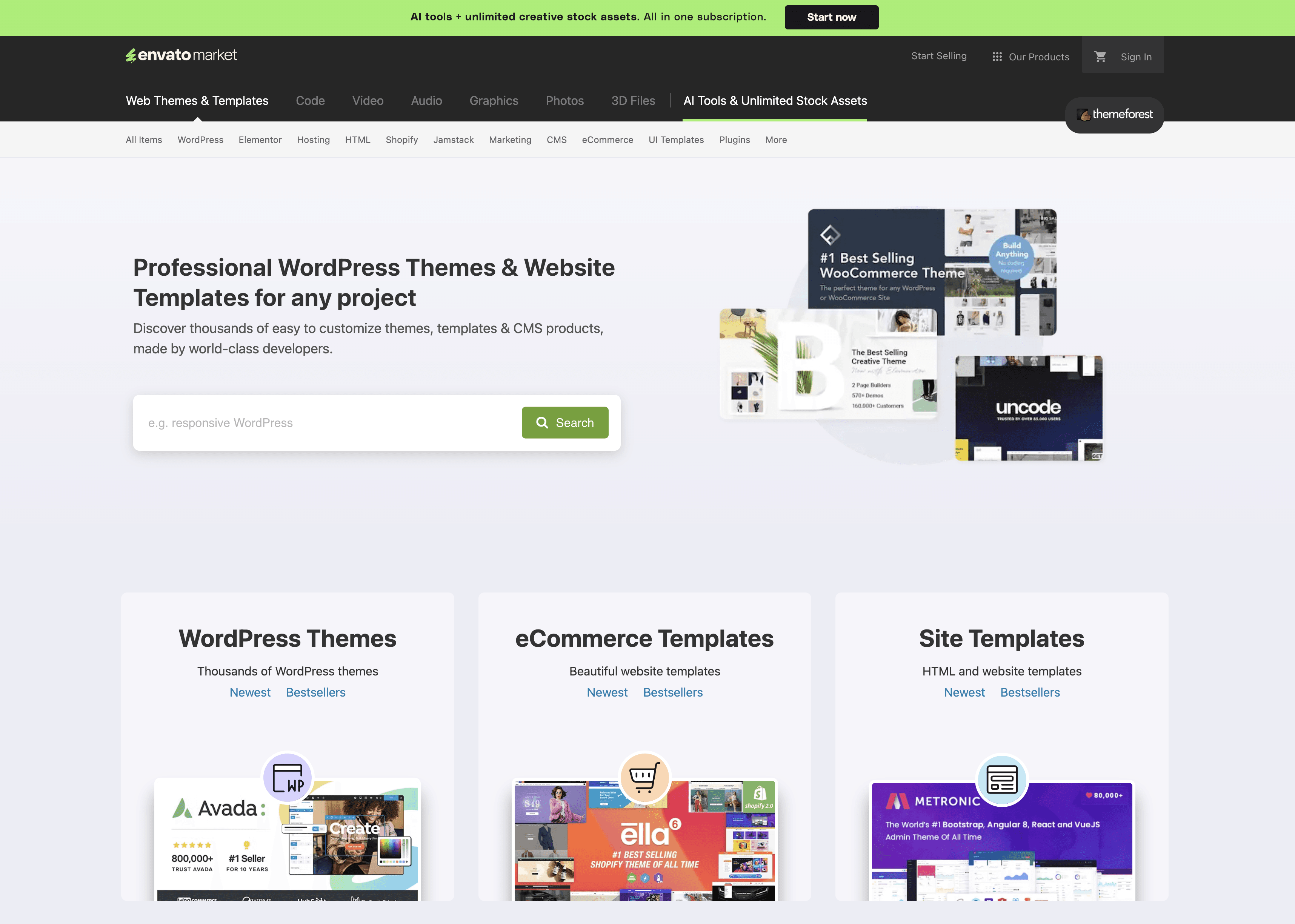
ThemeForest (Envato Market)
For businesses needing to move quickly, ThemeForest provides a direct path to a professionally designed foundation. Instead of commissioning a custom design that might take months (and cost thousands), you can browse thousands of options, view live demos, and purchase a theme for a one-off fee. We're talking about cutting your development time by 70-80% here—that's not a guess, that's what we've seen with our own clients.
Why ThemeForest Actually Works
ThemeForest's primary value lies in its sheer volume and competitive marketplace. Talented developers worldwide compete to create feature-rich, visually appealing products, which means you benefit from a constantly evolving selection of high-quality designs.
The real shift here: ThemeForest changes the web design process from creation to curation. Your challenge isn't building from scratch; it's selecting the right pre-built asset and customising it intelligently.
The platform's user experience centres on discovery. You can filter by:
Platform: WordPress, Shopify, HTML, Ghost, and more
Category: Corporate, E-commerce, Creative, Portfolio
Features: Responsive design, RTL support, e-commerce integration
User Rating: Sort by community feedback to find top-tier options
How to Actually Use ThemeForest (Without Getting Overwhelmed)
Navigating 50,000+ themes can feel like searching for a specific grain of sand on a beach. Here's how to do it smartly:
1. Prioritise Recent Updates and High Ratings
Look for themes with a strong update history—this signals that the author actively maintains the product, ensuring compatibility with new software versions and security patches. Favour themes with a 4.5-star rating or higher from a significant number of users (at least 100+ reviews).
2. Scrutinise the Live Demo Like Your Launch Depends On It
Don't just admire the homepage. Click through every demo page, test the navigation, and view it on both desktop and mobile. Check the loading speed—if the demo is sluggish, your site will be too. For conversion-focused projects, compare what you see against proven patterns. Our guide on the best landing page designs provides excellent benchmarks for what actually converts.
3. Read the Comments Section (Yes, Really)
Recent user comments reveal common issues or praise for the author's support team. A responsive author can be a lifesaver when you run into technical difficulties at 11 PM the night before launch.
Real-World Example
A local restaurant needed a new website with online booking and a menu gallery. Instead of a £5,000+ custom build that would take 8-12 weeks, they purchased a highly-rated, restaurant-specific WordPress theme for around £60. It included a pre-built booking module and stylish menu layouts, allowing them to launch a professional site in days, not months. That's the power of strategic template selection.
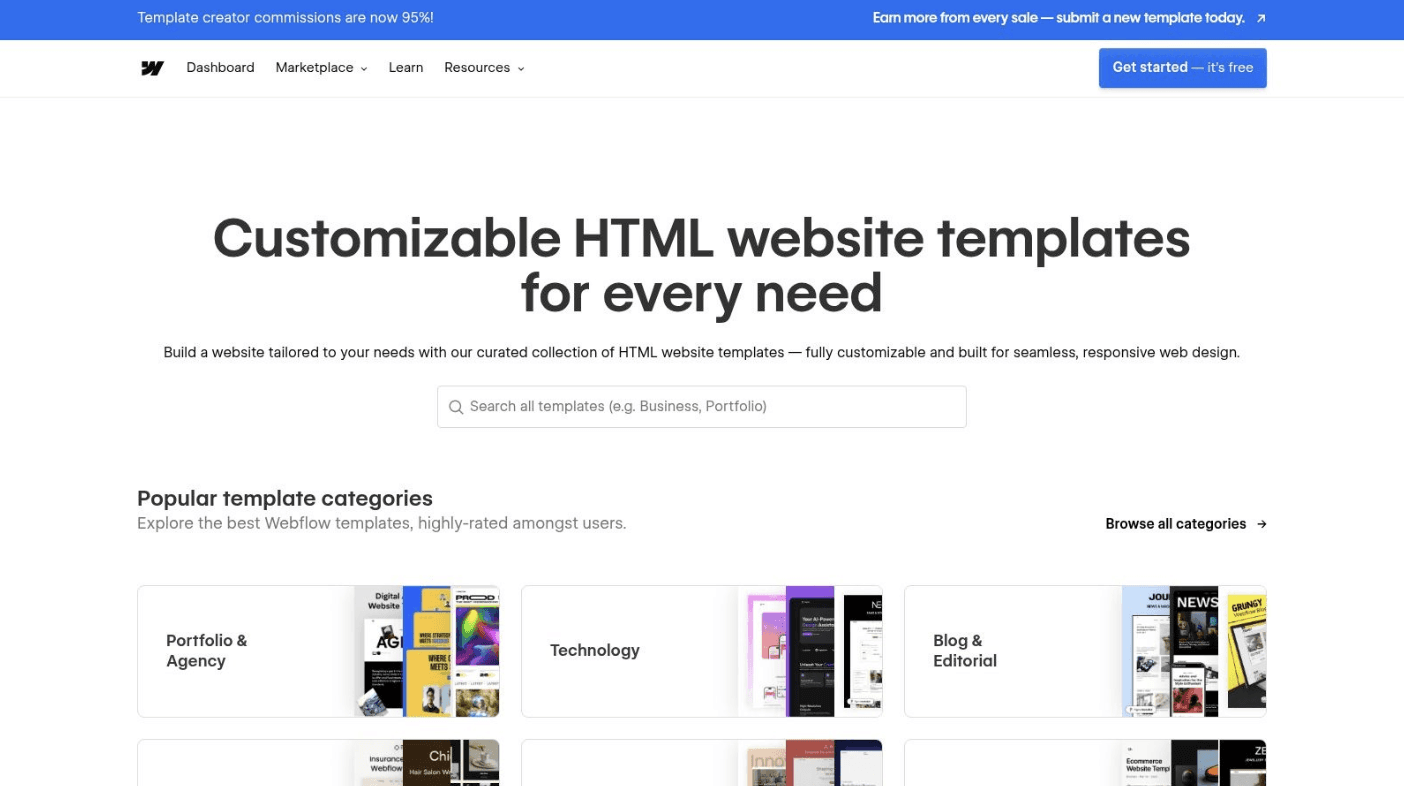
2. Webflow Template Marketplace
For those who want the polish of custom animation and interaction without the complexity of coding (or the developer invoices), the Webflow Template Marketplace is an absolute game-changer. It offers a curated selection of designer-made templates built specifically for the Webflow platform—a visual web development tool that's revolutionised how designers create professional, dynamic websites.
Webflow Template Marketplace
Unlike traditional theme marketplaces where you're essentially just swapping colours and text, Webflow templates are deeply integrated with the platform's powerful interactions and animations engine. This means you can acquire sophisticated, creative website designs with fluid motion and engaging micro-interactions straight out of the box.
Why Webflow Templates Hit Different
The core value of the Webflow Template Marketplace is its ability to bridge the gap between high-end custom design and accessible template-based solutions. It provides a launchpad for visually stunning websites that feel bespoke, leveraging Webflow's no-code environment to make advanced customisation possible for non-developers.
Here's the key: Webflow shifts the focus from simple content population to visual customisation and interaction design. You're not just changing text and images—you're modifying complex animations and responsive layouts directly, offering a level of control typically reserved for custom-coded projects.
The platform excels in delivering templates that are both beautiful and functional. Discovery is streamlined through filters for:
Category: Agency, Portfolio, Restaurant, Technology, SaaS
Features: CMS, E-commerce, Memberships, Advanced animations
Style: Free, Premium, Modern, Minimalist, Bold
Layout: Single Page, Multi-Page, Landing Page
How to Choose the Right Webflow Template
Selecting the right Webflow template involves looking beyond static screenshots and considering its dynamic capabilities.
1. Interact with the Live Preview Extensively
Webflow templates are all about motion and interaction. Open the live preview and spend time triggering hover effects, scrolling to observe animations, and testing forms. Ensure the interactions enhance the user experience rather than distract from it. If you're finding yourself getting annoyed by excessive animations, your users will too.
2. Verify CMS and E-commerce Integration
If you need a blog, portfolio, or online store, check that the template has the necessary CMS or E-commerce collections pre-built. Customising these foundational elements is more complex than tweaking visual styles, so starting with the right structure is crucial. A solid template with thoughtful UI is critical—our guide to UI design for high-converting homepages breaks down exactly what to look for.
3. Evaluate the Designer's Support and Resources
Look at the template's product page for information on support, documentation, and changelogs. Top designers often provide comprehensive guides and are responsive to user questions, which is invaluable when you're learning the platform.
Real-World Example
A digital creative agency wanted a portfolio site that reflected their cutting-edge work without spending £10,000+ on a custom build. They purchased a premium template like "Supersonic" for around £120. It came with slick page transitions and a pre-configured CMS for their case studies, allowing them to launch a highly polished, interactive site that they could update visually themselves. The result? A site that punches well above its weight class.
3. Shopify Theme Store
For e-commerce entrepreneurs aiming to blend commercial power with standout creative website designs, the official Shopify Theme Store is your go-to destination. As the native marketplace for the world's leading commerce platform, it offers a curated collection of themes built specifically to leverage Shopify's robust features.
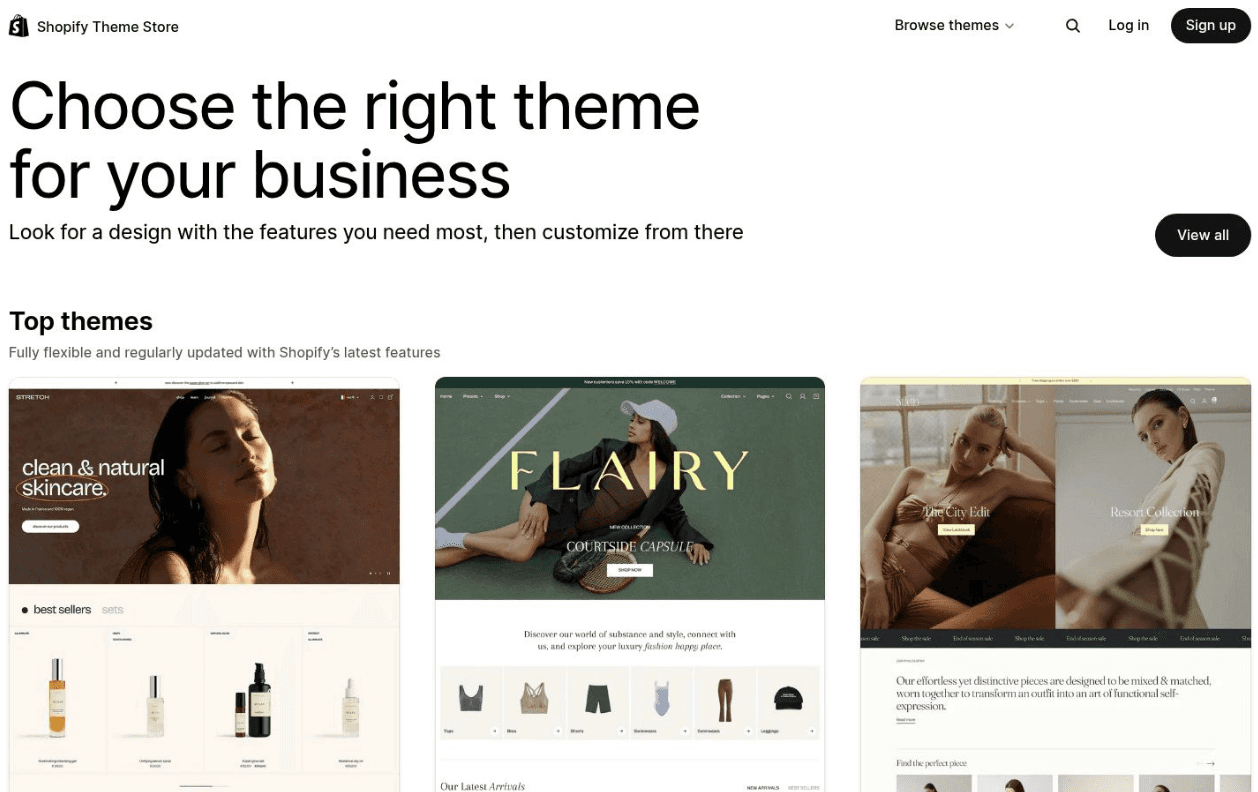
Shopify Theme Store
Unlike broad marketplaces where quality varies wildly, every theme on the Shopify store undergoes a strict review process. This guarantees that you're investing in a product that's not only visually striking but also optimised for conversions, mobile responsiveness, and fast loading speeds. It's quality control at scale.
Why the Shopify Theme Store Delivers
The Shopify Theme Store's core advantage is its deep, native integration. Themes are designed from the ground up to work flawlessly with Shopify's ecosystem, including Shopify Payments, Shop Pay, and the latest inventory management features. This eliminates the compatibility nightmares that can arise from third-party sources.
The bottom line: The Shopify Theme Store prioritises performance-driven creativity. These themes aren't just pretty—they're engineered to convert visitors into customers, with clean code and optimised user journeys baked in.
The platform makes finding the right aesthetic simple. You can filter themes based on:
Catalogue Size: From single-product stores to massive inventories
Industry: Fashion, Food & Drink, Art & Photography, Electronics
Features: Quick buy, sticky headers, mega menus, product filtering
Layout Style: From minimalist and grid-based to bold, editorial designs
How to Select Your Shopify Theme Strategically
Choosing the right theme is a critical business decision, not just an aesthetic one.
1. Test the "View Demo Store" Like You're a Suspicious Customer
Go beyond a quick glance. Add products to the cart, simulate the entire checkout process, and navigate through every collection and product page. Check the mobile experience meticulously—according to Shopify's own data, over 70% of e-commerce traffic comes from smartphones. If the mobile experience is clunky, you're dead in the water.
2. Align Features with Business Goals, Not Vice Versa
Don't be swayed by a theme packed with features you don't need. If your brand relies on high-quality visuals (think fashion or art), prioritise themes with advanced image galleries and lookbook options. If you run frequent promotions, look for themes with powerful promotional banner and countdown timer features.
3. Read Merchant Reviews and Check the Developer
Look for consistent positive feedback on both the theme's flexibility and the developer's support quality. A theme from a reputable developer like Out of the Sandbox or Pixel Union ensures you'll receive timely updates and assistance when needed.
Real-World Example
A new artisan jewellery brand needed an elegant, image-forward online store that didn't look like every other Shopify site. Instead of a costly custom build, they purchased the "Prestige" theme from the Shopify Theme Store for around £280. This theme offered high-end editorial layouts, lookbook features, and integrated "Shop the Look" functionality, allowing them to create a premium, brand-centric shopping experience in a fraction of the time and cost. The results spoke for themselves—just like our client Josh King from Corporate Fighter, who told us: "We got a sign up from the social media post we put up yesterday. £800 revenue off this post!" Good design converts.
4. Squarespace Templates (Official Library)
For those who value a curated, design-forward approach without the technical faff, the official Squarespace template library offers an all-in-one solution. Unlike a vast marketplace, Squarespace provides a handpicked collection of creative website designs that prioritise clean typography, generous white space, and a polished, modern feel.
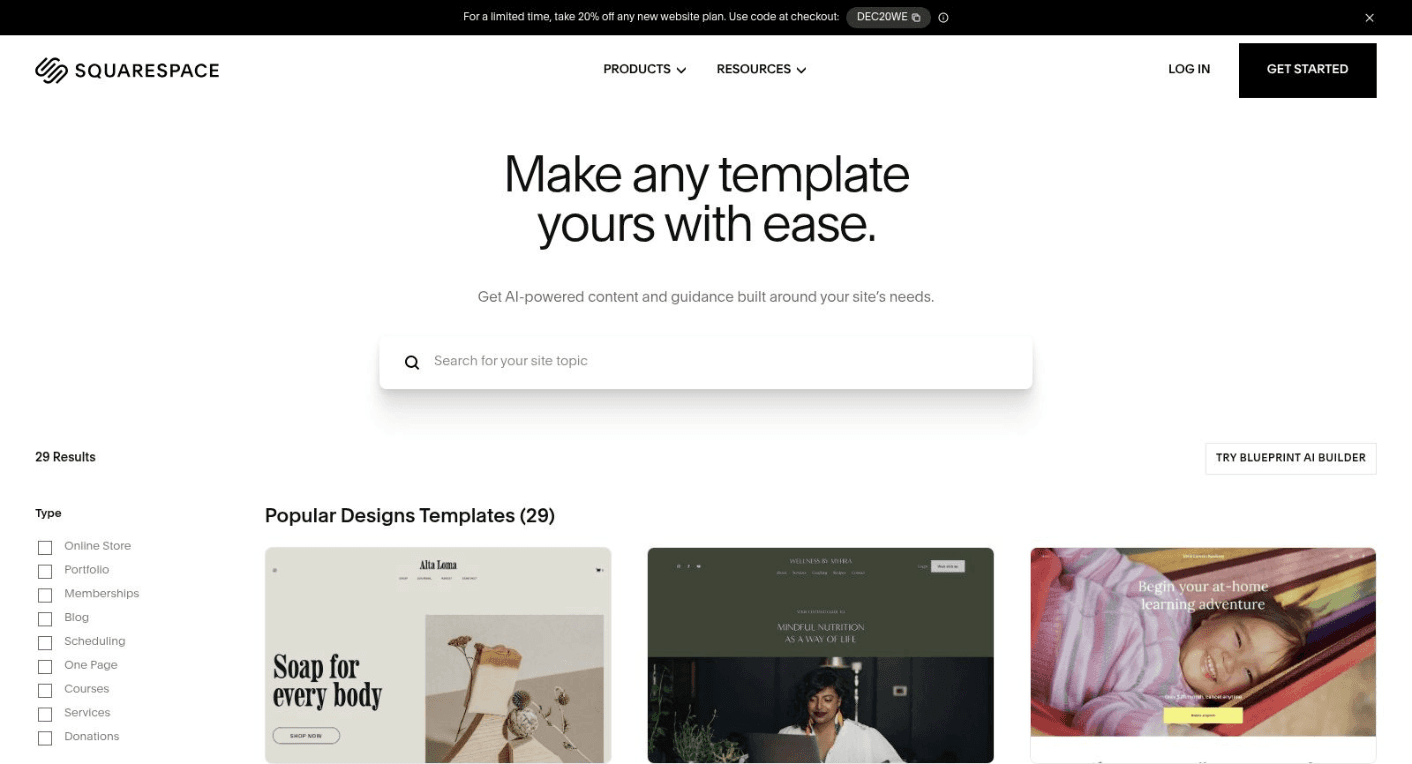
Squarespace Templates (Official Library)
The platform bundles these templates with robust hosting, security, and support infrastructure. This integrated ecosystem simplifies the launch process significantly—you select a design, customise it within Squarespace's intuitive editor, and you're done. No wrestling with separate hosting providers, plugin conflicts, or SSL certificates.
Why Squarespace's Curation Works
Squarespace's core strength is its opinionated design philosophy. By offering a curated selection rather than an open marketplace, it ensures a consistently high standard of quality and aesthetic cohesion. Every template is mobile-responsive out of the box and built with best practices in mind.
The real value: Squarespace transforms web design from a technical challenge into a branding exercise. The platform handles the foundational code and structure, freeing you to focus entirely on visual identity, content presentation, and storytelling.
The templates aren't just skins; they're starting points with cohesive systems for colours, fonts, and spacing. Key features include:
Designer Templates: Pre-built with professional typography and colour palettes
All-in-One Platform: Hosting, SSL, and 24/7 support included in the subscription
Seamless Switching: Change templates at any time without losing your content
Mobile Optimisation: Every design is automatically responsive for all devices
How to Get the Most from Squarespace Templates
Choosing the right template is about aligning its inherent style with your brand's voice.
1. Focus on Layout, Not Just Imagery
The demo images are placeholders. Ignore the specific photos and instead analyse the underlying structure. Pay attention to the placement of logos, navigation menus, and call-to-action buttons to see if the layout fits your content strategy. As our client Emily Leviseur from Koru Kids said: "Amazing! Speedy and perfectly as I wished for." That's what happens when you nail the structure first.
2. Explore Template Families
Some Squarespace templates belong to the same "family," meaning they share a similar underlying structure but have different default styles. If you like the functionality of one template but not its look, check if there are others in its family that better suit your aesthetic.
3. Use the "Fluid Engine" to Your Advantage
Squarespace's latest editor offers a drag-and-drop grid system. Once you've chosen a template, don't feel locked into its default block placements. Experiment with moving and resizing elements to create a more unique and customised layout that truly reflects your brand.
Real-World Example
A freelance photographer needed a sophisticated portfolio to showcase her work without the complexity of WordPress. She chose a visually-driven Squarespace template like "Utica." For a monthly subscription starting around £12, she got a stunning, minimalist gallery, a contact form, and an integrated blog. She had a polished, professional site live in a single afternoon. That's efficiency.
5. Wix Template Library
For those who want maximum creative control without touching a line of code, the Wix Template Library offers an exceptionally user-friendly and visually driven starting point. With 900+ professionally designed templates, Wix provides a complete ecosystem where design, hosting, and functionality are fully integrated.
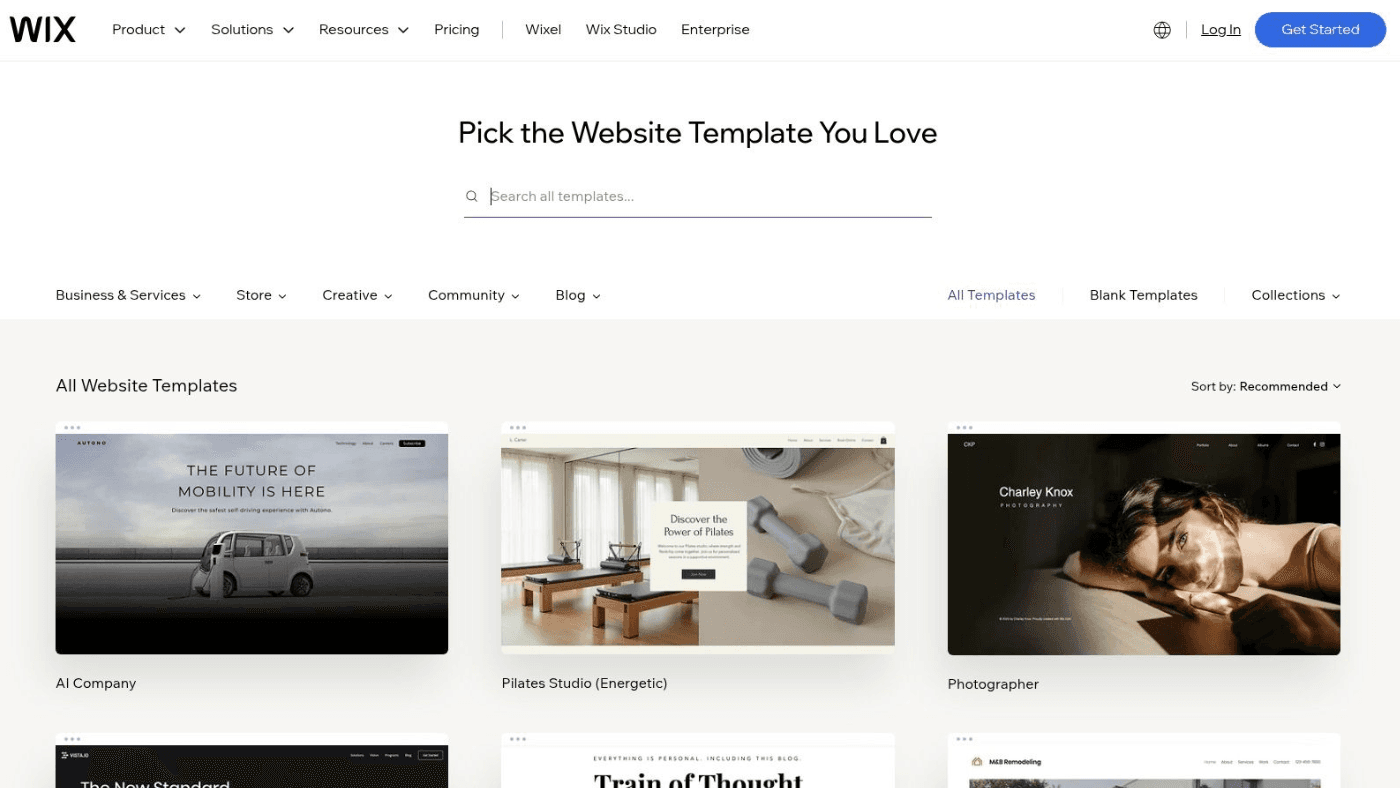
Wix Template Library
The platform excels at empowering users to launch a stylish, feature-rich site in hours, not weeks. With a vast selection covering portfolios, agencies, e-commerce stores, and blogs, Wix has curated templates that incorporate modern design trends like parallax scrolling, full-screen video backgrounds, and bold typography right out of the box.
Why Wix Democratises Web Design
Wix's core strength is its seamless integration of design, hosting, and functionality. You aren't just getting a template; you're getting an entire platform designed to work with it. This removes the technical hurdles often associated with managing hosting, plugins, and compatibility issues.
The key advantage: Wix democratises the entire web creation process, not just the design. It combines a template-driven approach with a what-you-see-is-what-you-get (WYSIWYG) editor, allowing for rapid deployment and easy updates without technical expertise.
The library is organised to facilitate quick discovery:
Industry: Restaurants, photography, consulting, technology, fitness
Purpose: E-commerce, portfolio, blog, business, events
Style: Minimalist, bold, professional, contemporary
AI Creation: Wix ADI (Artificial Design Intelligence) can generate a site based on a few questions
How to Use Wix Without Creating a Mess
While Wix is user-friendly, making the right initial choices is crucial.
1. Choose Your Template Wisely (You're Somewhat Committed)
This is the most crucial step. While you can customise almost anything, the underlying structure of a template is difficult to change later. Spend time browsing the library and previewing different options on both mobile and desktop before committing. As Karen Wilson from Presto Coffee Roasters told us: "High quality design, swift customer service and a communication portal that is really easy to use. Design Guru met our brief quickly and to a high standard." Good foundations matter.
2. Leverage the App Market
Don't limit yourself to the template's built-in features. The Wix App Market allows you to add advanced functionality like booking systems, forum capabilities, or advanced analytics. Explore it early to ensure the platform can meet your long-term needs.
3. Optimise for Performance (Seriously)
The freedom of a drag-and-drop editor can lead to overloading pages with large images, videos, and animations. Use Wix's built-in image optimisation tools and be mindful of how many elements you add to keep your site's loading speed fast. A beautiful site that takes 10 seconds to load is a beautiful disaster.
Real-World Example
A freelance graphic designer needed a portfolio site to showcase her work without paying for a developer. She selected a minimalist, image-focused portfolio template from Wix for free. She connected her domain, added her projects, and had a professional, mobile-responsive website live in a single afternoon for just the cost of a premium plan (around £11/month). That's the power of the right tool for the right job.
6. Creative Market
For those seeking truly unique and artist-led creative website designs, Creative Market offers a vibrant alternative to larger, more uniform marketplaces. It serves as a global hub for independent creators to sell a vast array of digital assets—from website templates and UI kits to fonts, graphics, and mockups.
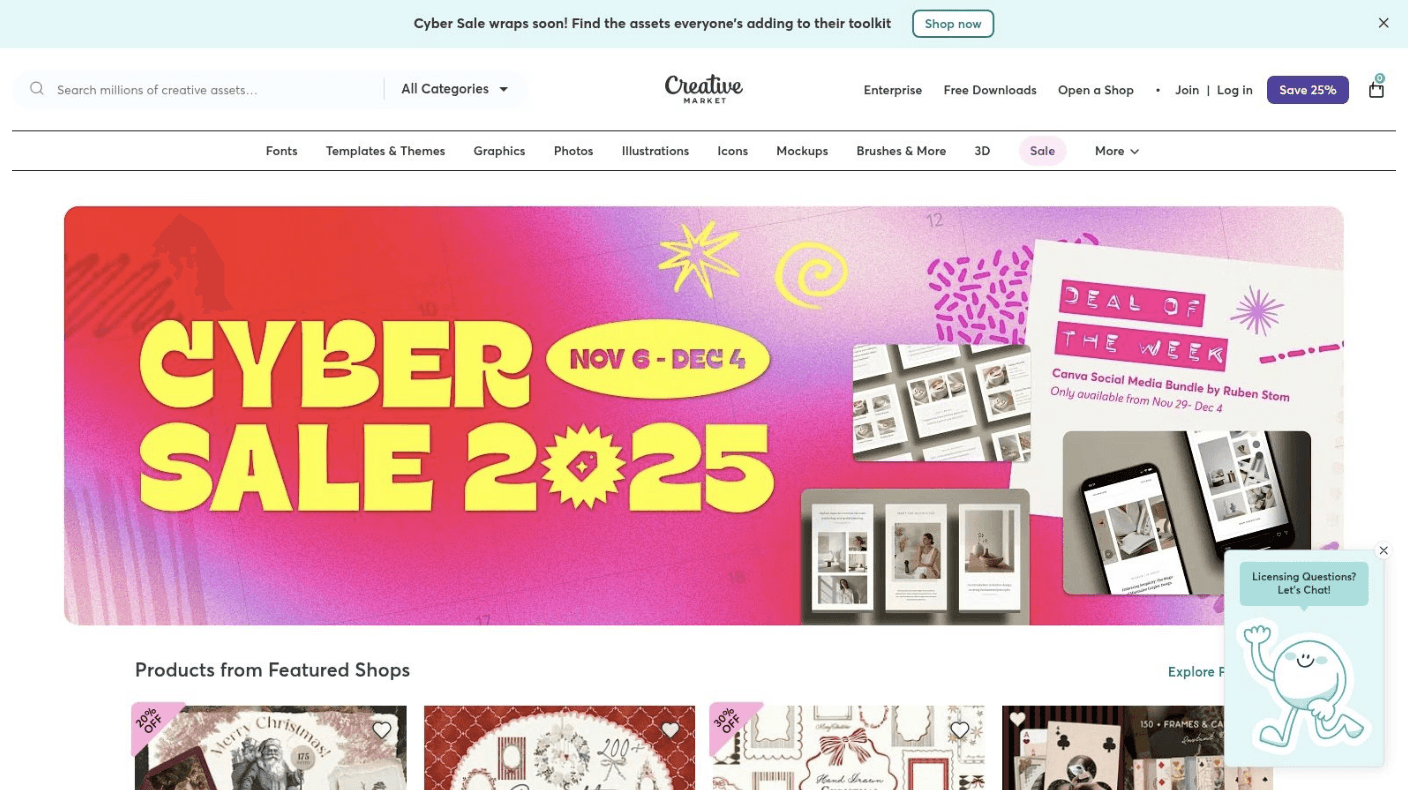
Creative Market
Unlike platform-specific theme stores, Creative Market focuses on providing standalone templates (HTML, email, landing pages) and design components. This approach is ideal for developers and designers who want a creative starting point to integrate into a custom build, rather than being locked into a single CMS ecosystem.
Why Creative Market Stands Out
Creative Market's core strength is its diverse ecosystem of interconnected creative assets. You aren't just buying a template; you're often gaining access to a creator's entire design suite, including matching fonts, social media graphics, and brand mockups.
The real advantage: Creative Market turns website design into an exercise in brand integration. Instead of just finding a template, you can procure an entire visual system, ensuring every touchpoint—from your landing page to your Instagram posts—feels unified and professionally designed.
The platform encourages discovery of indie talent, leading to more original and less-replicated designs:
Asset Variety: Everything from WordPress themes to niche HTML templates and Figma UI kits
Cohesive Branding: Many sellers offer matching product lines
Clear Licensing: Straightforward Standard and Extended licenses clearly define usage rights
Independent Styles: Access unique, trend-setting designs that haven't saturated the mainstream market
How to Shop Creative Market Like a Pro
Success on Creative Market depends on careful vetting and strategic purchasing.
1. Evaluate the Seller, Not Just the Product
Before purchasing, click on the seller's profile. Look at their overall portfolio, the number of sales they have, and their shop reviews. A well-established creator is more likely to provide quality products and reliable support. Think of it like checking restaurant reviews before booking—it matters.
2. Look for Bundles and Complementary Assets
If you like a template, check the seller's other products. They often sell matching fonts, graphics, or social media kits. Buying a bundle can save money and guarantee brand consistency. As Simon Edward from My Digital Hero said about our work: "Mind-blowing and absolutely incredible work... turning rubbish images into brilliant results." That cohesion across assets? That's the goal.
3. Read the Licensing Terms Carefully
Understand the difference between the Standard and Extended licenses. For a business website or a product you intend to sell, you'll likely need the Extended license, so factor this into your budget from the start.
Real-World Example
A new freelance photographer wanted a portfolio website with a minimalist, high-fashion aesthetic. They purchased the "Halen" HTML template on Creative Market for around £30. The same seller also offered a matching "Halen" social media pack and logo kit. By bundling these assets, the photographer established a cohesive, high-end brand identity across their website and marketing channels for under £100, achieving a custom look without the custom price tag.
7. Awwwards
For pure, unadulterated inspiration for creative website designs, Awwwards is the industry's digital art gallery. It's not a marketplace for templates—it's a prestigious awards platform that curates and showcases the most innovative, artistic, and technically proficient web projects from around the globe.
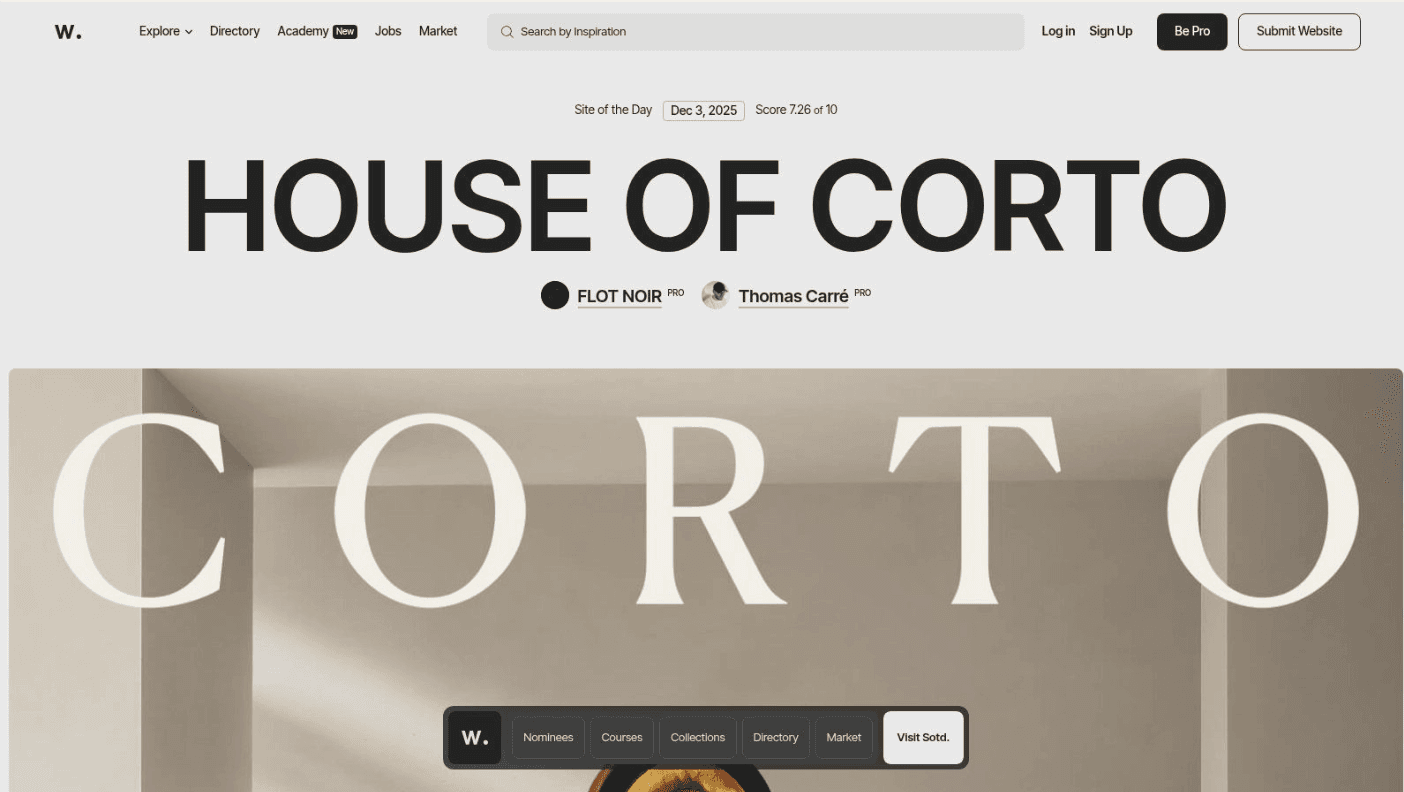
Awwwards
Unlike platforms focused on pre-built assets, Awwwards is where you go to define a vision and set your creative benchmark. It's an essential first step for any business, marketing manager, or agency looking to push creative boundaries. By browsing its daily "Site of the Day" winners and curated collections, you can gather high-calibre references to inform your design brief.
Why Awwwards Matters
Awwwards' core value is its rigorous curation. Each submitted site is evaluated by a jury of experts on design, usability, creativity, and content. This process filters out the noise, presenting a catalogue of only the most forward-thinking and well-executed projects.
The strategic value: Awwwards shifts the design process from ideation to inspiration. Instead of guessing what a cutting-edge design looks like, you can see it, interact with it, and deconstruct its success. It helps teams align on a creative direction before a single line of code is written.
The platform excels at organised discovery:
Categories: Portfolios, E-commerce, Events, Corporate, Educational
Tags: Clean, Minimal, 3D, Typography, WebGL, Experimental
Colours: Filter by specific colour palettes to match brand identity
Technologies: Identify sites built with specific frameworks like React or Vue.js
How to Actually Use Awwwards (Beyond Just Scrolling)
Awwwards can be overwhelming if you treat it like Instagram. Here's how to extract real value:
1. Create "Collections" to Build a Mood Board
As you browse, use the platform's "Collections" feature to save sites that resonate with your project's goals. Organise them by concept (e.g., "Homepage Animations," "Product Page UX," "Navigation Patterns") to build a visual brief for your design team or DesignGuru subscription.
2. Study the Winners' Technical Details
Each winning site lists the agency behind it and often the technologies used. This provides valuable insight into what it takes to achieve a certain look or functionality and helps you find potential agencies or developers with the right expertise.
3. Analyse Trends Beyond the Homepage
Don't just admire hero sections. Dive deep into how these top-tier sites handle navigation, forms, loading transitions, and mobile experiences. Compare what you find with evolving design trends to see how these elements are pushing boundaries. Our clients like Miles Baker Clarke from Fusion Media have told us: "Working with DesignGuru has been transformative, it's allowed us to scale our workflow to produce more internally than we ever have before." That's what happens when you're working from a foundation of excellence.
Real-World Example
A new fintech startup wanted to create a website that felt trustworthy yet technologically advanced. Their marketing team spent a day on Awwwards, creating a collection of sites tagged "Clean," "Corporate," and "WebGL." They presented this visual brief to their design agency, providing a clear, high-quality direction that saved weeks of conceptual back-and-forth and ensured the final product aligned with their ambitious brand vision.
Top 7 Creative Website Design Marketplaces — Comparison
Marketplace | Implementation Complexity 🔄 | Resource Requirements ⚡ | Expected Outcomes ⭐📊 | Ideal Use Cases 💡 | Key Advantages |
|---|---|---|---|---|---|
ThemeForest (Envato Market) | Medium 🔄 — download + integrate; author quality varies | Moderate ⚡ — hosting/CMS, possible plugins/add-ons | 3–4 ⭐ — broad impact if vetted; variable quality 📊 | Wide-range projects across WordPress/HTML/Shopify; fast design discovery 💡 | Massive catalogue, filters, live demos and community ratings |
Webflow Template Marketplace | Low 🔄 — visual editing within Webflow | Moderate ⚡ — Webflow account + paid hosting for custom domains | 4 ⭐ — polished interactions and visual fidelity 📊 | Design-forward interactive sites built in Webflow; rapid visual customisation 💡 | High design quality, native interactions, easy visual editing |
Shopify Theme Store | Low 🔄 — plug-and-play for Shopify stores | Moderate ⚡ — Shopify plan + theme cost; apps for extras | 4 ⭐ — optimised for commerce, conversion and performance 📊 | Ecommerce storefronts on Shopify needing reliable compatibility 💡 | Official themes, developer support, checkout & performance optimisations |
Squarespace Templates (Official Library) | Very low 🔄 — all-in-one setup and switchable templates | Low ⚡ — Squarespace subscription includes hosting and SSL | 3 ⭐ — polished aesthetics, fast launch; limited granular control 📊 | Portfolios, small businesses, editorial sites wanting low setup overhead 💡 | Cohesive design systems, mobile optimisation, hosting & 24/7 support |
Wix Template Library | Low 🔄 — AI tools + editor; template switching can be cumbersome | Low ⚡ — Wix plan (free tier available); app market for features | 3 ⭐ — fast launches; performance depends on customisation 📊 | Rapid site builds, AI-assisted creation, creatives and small businesses 💡 | Very large free template library, AI tools and extensible app ecosystem |
Creative Market | Medium 🔄 — DIY integration into custom builds | Higher ⚡ — developer time, hosting and licensing costs | 3–4 ⭐ — unique styles enable distinctive branding when implemented well 📊 | Custom projects needing bespoke assets, UI kits and brand matching 💡 | Indie-led creativity, flexible licenses, broad asset ecosystem |
Awwwards | Varies 🔄 — inspiration source; replication may require advanced skills | Low ⚡ — time for research; optional paid courses (Creative Pass) | 4 ⭐ — high-quality design direction and learning impact 📊 | Researching trends, inspiration, upskilling designers before building 💡 | Curated award-winning references, trend libraries and courses |
The Reality of Creative Website Design in 2025
Let's be honest about something: finding creative website designs is the easy part. The hard part is implementing them well, customising them to actually reflect your brand, and ensuring they convert visitors into customers.
We've explored seven exceptional platforms, each with its own strengths. ThemeForest gives you volume and variety. Webflow offers visual control and stunning interactions. Shopify delivers commerce-optimised reliability. Squarespace provides curated simplicity. Wix democratises the entire process. Creative Market brings indie creativity and brand cohesion. Awwwards sets the creative benchmark.
But here's what we've learned from working with hundreds of clients: the platform matters less than the execution.
As Giles Korner from Korgi Consulting told us: "I cannot recommend DesignGuru highly enough. They took our very basic company overview & created a modern, vibrant & professional feel for us." That transformation didn't happen because of a specific platform—it happened because of strategic design thinking applied to the right tools.
Your Strategic Path Forward
As you embark on your own design journey, here's what actually matters:
1. Strategy Before Aesthetics
Always define your goals first. Are you aiming to increase sales, generate leads, or build brand awareness? A stunning portfolio site and a high-converting e-commerce store require fundamentally different approaches. Your design choices should directly support your business objectives, not just look impressive in a screenshot.
2. User-Centred Design Isn't Optional
The most creative concepts fall flat if users can't navigate the site or find what they need. Prioritise intuitive UX, clear calls-to-action, and accessibility. As Jeremy Blain from Performance Works said about our work: "Great turnaround with brilliant responsiveness and flexibility... Delivered excellent work that communicates well, follows briefs perfectly." Communication is design.
3. Inspiration Is a Starting Point, Not a Destination
Use platforms like Awwwards and Creative Market to gather ideas, but always adapt them to fit your unique brand personality and message. A direct copy rarely resonates with an audience. The best designs feel inevitable for your specific brand—like they couldn't exist any other way.
4. Performance Is Paramount
According to Google's research, 53% of mobile users abandon sites that take longer than three seconds to load. A visually stunning website that takes too long to load will lose visitors before they even see your brilliant design. Optimise images, leverage efficient code, and ensure your site is responsive across all devices.
Choosing the Right Platform for Your Vision
The tools we've covered each offer a distinct pathway to achieving a high-quality design. Your choice should align with your technical expertise, budget, and long-term goals:
Startup needing polish fast? Squarespace or Wix offer curated templates with everything included.
E-commerce brand wanting customisation? The Shopify Theme Store provides commerce-optimised foundations with extensive app integrations.
Agency building client sites? Webflow's powerful visual editor enables completely bespoke, animation-rich sites without extensive code.
Developer wanting unique assets? Creative Market offers indie creativity and cohesive brand systems.
Team defining vision? Awwwards provides the creative benchmark and inspiration library.
The key is matching the platform's strengths to your project's specific requirements and your team's capabilities.
When You Need More Than a Template
Here's the truth: templates are brilliant starting points, but they're rarely the finish line. Most businesses need customisation, brand integration, and strategic thinking to truly stand out.
That's where we come in. DesignGuru offers a flexible, on-demand design subscription service, giving you access to top-tier designers for everything from UI/UX and web assets to branding and motion graphics—all for a flat monthly fee starting at £749. No project limits, no hidden costs, just brilliant design when you need it.
As Med Yacoub from Tradesk put it: "Great job bringing my vision to life. Killed it! Isabella continues to deliver outstanding assets - incredible work! Vicky crushed the design... 6 stars!"
Whether you're launching a new site, refreshing an existing one, or scaling your creative output across multiple projects, we can help you transform these insights into a stunning reality. Book a call with our team to discuss how we can elevate your digital presence without the overhead of hiring an in-house design team.
Final Thoughts
The pursuit of creative website designs is an ongoing process of learning, experimenting, and refining. The digital world is constantly evolving, and the most successful brands are those that embrace innovation without losing sight of what actually converts.
By combining strategic thinking with the powerful tools available today, you can create a digital presence that not only looks incredible but also delivers tangible results for your business. Whether you choose to DIY with a template or partner with a design team like ours, the most important thing is to start with a clear vision and a commitment to quality.
Your website isn't just a digital brochure—it's your hardest-working sales tool, your brand ambassador, and your 24/7 shopfront. Make it count.
Want to see more of our work? Check out our portfolio or explore our free downloads to get started today.
Frequently Asked Questions
Q: How can I tell if a template will actually work for my business?
A: Look beyond aesthetics. Test the live demo thoroughly on both desktop and mobile, check if it has the features you need (e.g., booking systems, galleries, e-commerce), and read user reviews to identify common issues. Most importantly, ask: "Does this layout support my primary business goal?"
Q: What's the difference between using a template and getting custom design?
A: Templates offer speed and cost efficiency—you can launch in days for hundreds rather than months for thousands. Custom design offers complete uniqueness and exact alignment with your vision, but requires more time and budget. Many businesses find a middle ground: starting with a quality template and customising it strategically.
Q: How much should I budget for a template-based website?
A: It varies widely. A basic Squarespace or Wix site can cost £10-20/month in subscription fees. A premium WordPress theme from ThemeForest might be £60-100 one-off, plus hosting (£5-30/month). Shopify themes range from free to £280 one-off, plus Shopify's monthly fees. Budget an additional £300-1,000+ for professional customisation if you're not DIY-ing it.
Q: Can I switch templates later if I change my mind?
A: It depends on the platform. Squarespace allows template switching without losing content. WordPress and Shopify allow theme changes, but you may need to reconfigure some settings and customisations. Wix and Webflow make switching more difficult—you might need to rebuild sections. Always test thoroughly before committing.
Q: What's the biggest mistake people make when choosing templates?
A: Choosing based on the homepage screenshot alone. The homepage might look stunning, but if the interior pages, blog layouts, or product pages don't fit your content strategy, you'll struggle. Always click through the entire demo and imagine your actual content in those layouts.
Q: How do I know if I need a designer to help implement my template?
A: If you're comfortable with technology and have time to learn, most modern platforms are DIY-friendly. However, if you're short on time, need advanced customisations, or want to ensure professional polish, partnering with a design team like DesignGuru can save you weeks of frustration and deliver superior results. As Mark Abrams from Make Life Better said: "I gave the crew a design spec, and they returned with the job completed within 48 hours - with no requirement for amendments. Outstanding job, completed very swiftly."



Frequently Asked Questions
What do you mean by unlimited requests?
Once you’ve signed up, you can add as many design requests to your job list as you like. Your dedicated design team will tackle them one by one, based on the priorities you set. No hourly rates or per-project fees – everything is included in your package.
How do I make a design request?
Do I have to sign a contract?
How fast will I receive my designs?
What type of design work is included?


